How to choose a location
The question is whether an address fits your day, not only where it's cheaper. mScanner helps analyse a location in your chosen city through concrete criteria, not through a district's general reputation.
First it is worth deciding what matters most to you: the commute, quiet, greenery, schools, services, transport or quick access to the centre.
Commutes
A commute is best measured to specific places, not just to the centre. For one person the best address is near a stop, for another near a good motorway access or a school.
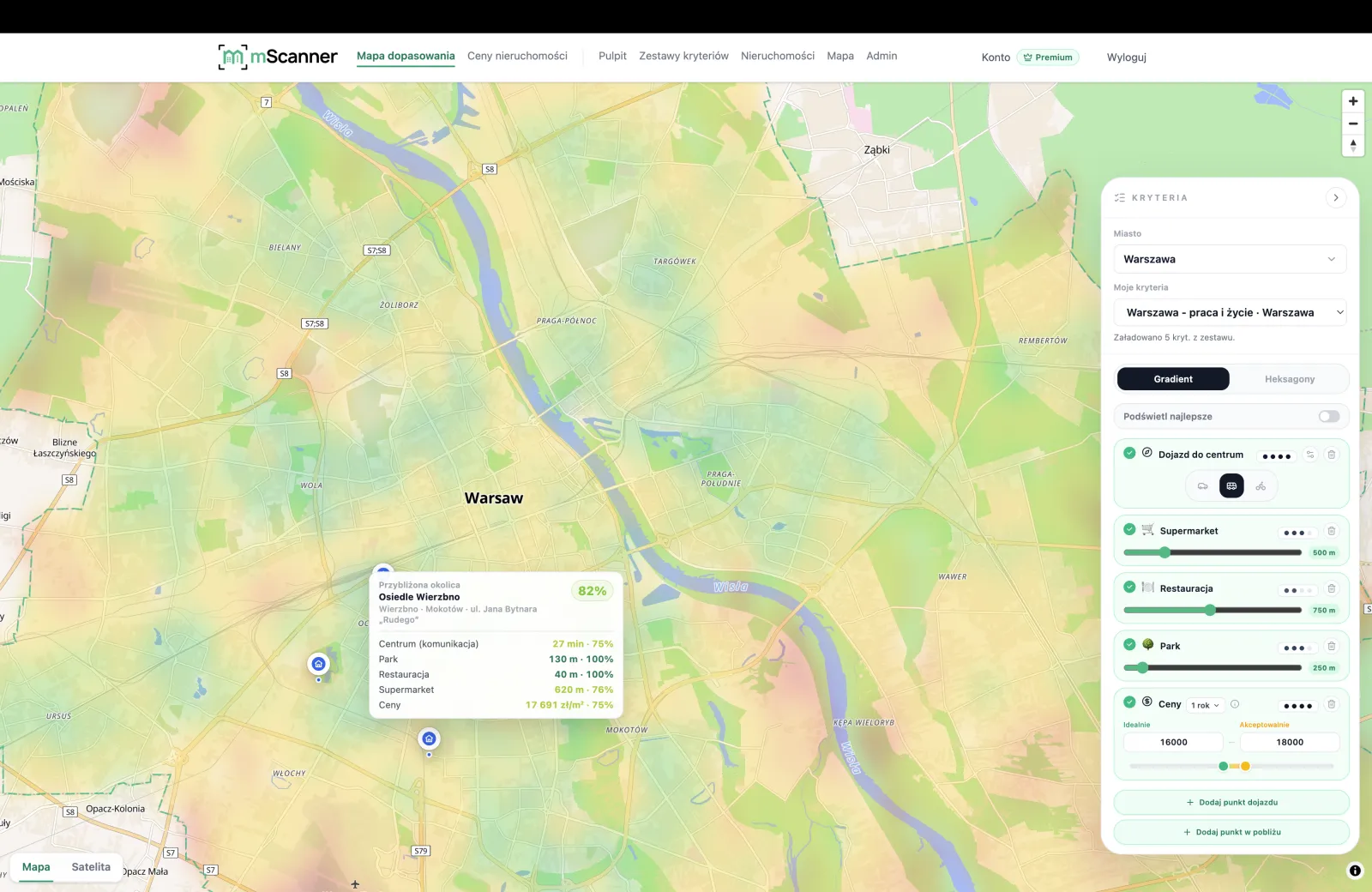
The city heatmap lets you compare different points of the city against your own routes.
Greenery and recreation
Proximity to greenery affects daily life, but the distance to a park alone is not enough. It is worth checking the real access to walking, waterside and recreation areas.
Nearby services
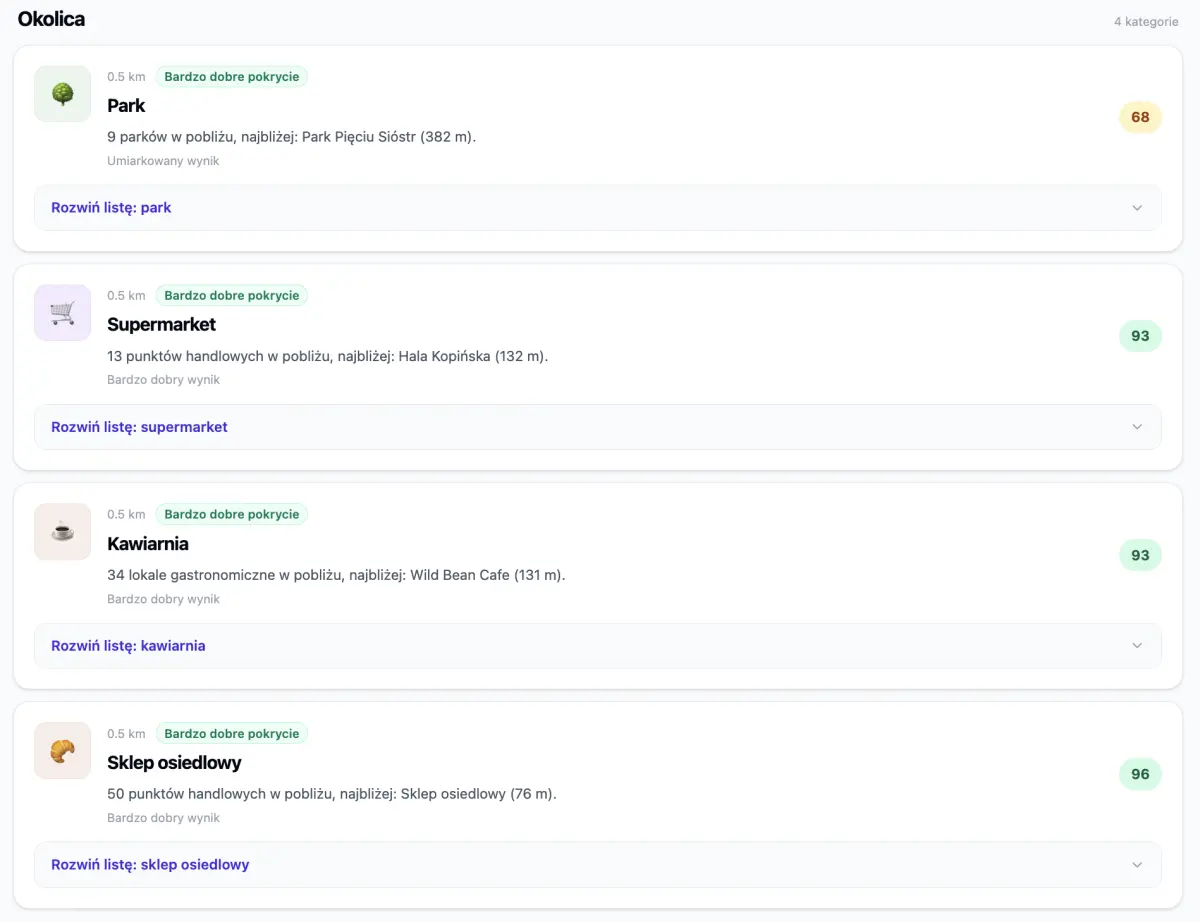
Shops, nurseries, schools, clinics and everyday service points can save more time than a few minutes saved on the commute to the centre.
Noise and surroundings
Noise, busy streets, proximity to large developments and the character of the buildings are worth assessing before you decide on a flat — whether you are buying or renting.
The zoning plan (MPZP) and the area plan
The local zoning plan (MPZP) and the urban surroundings help you understand what might be built nearby and whether the current view from the window is a lasting feature of the location.
How to use the mScanner city heatmap
In mScanner you can pick location criteria and check which areas best fit your needs. It is then worth setting the result against the price and the report for a specific address.
Frequently asked questions
How does mScanner help choose where to live in the city?
It helps compare specific addresses by commutes, services, greenery, noise, the zoning plan, prices and your own location criteria.
Does mScanner replace viewing a flat?
No. mScanner helps organise the most important questions before deciding, but viewings, documents and professional checks are still needed.
Is it worth comparing several flats at once?
Yes. Comparing several saved flats helps you see whether you are paying extra for a real location advantage or just for the wording of the listing.
Which districts in the city are the greenest?
It depends on how close to a park, forest or water you want to live and which way you travel day to day. Instead of a generic ranking, the mScanner city heatmap scores areas by real access to greenery — set that criterion and see which addresses come out best for you.
Where in the city are the cheaper districts?
The lowest price per m² is not always the best choice — a cheap address can be far from work or services. The price map shows the price distribution, and the city heatmap sets price against the commute and surroundings, so you do not save at the cost of your daily commute.
Where to live in the city for a good commute to work or the centre?
Start with the question: by car or transit, and at what hours? The city heatmap computes the travel time from each area to the points you choose — work, school or the centre — so instead of guessing you see which districts give a fast commute on your routes.
How do I find a quiet, calm district in the city?
Quiet depends on more than the absence of a busy street — proximity to large developments and the building plan matter too. The city heatmap factors in a noise criterion, and the address report shows the zoning plan and surroundings, so you can check whether the calm is lasting.
Which district in the city is best for a family, a single person or a student?
There is no single best district — a family values schools, quiet and greenery, a single person values proximity to the centre and transport, and a student values rent and the commute to campus. In the city heatmap you set the weights of these criteria and get a result tailored to your profile.